Click, run, work.
Download or select a model, click Run, and start working through a clean UI without terminal-first setup.
CONNECT • CONTROL • ORCHESTRATE
Open-source local-first AI control center
Click-and-run simplicity for local models. Raw runtime control for power users. A modular workspace for agents, files, notes, knowledge, terminals, and add-ins.
30-second explanation
Local AI workflows are scattered across model runners, chat UIs, terminals, notes, files, agents, scripts, and provider dashboards. LM Nexus brings these layers into one local-first modular workspace.
Local-first does not mean local-only. LM Nexus is designed to connect local runtimes, self-hosted servers, custom endpoints, and API providers from one control center.
Three modes
Download or select a model, click Run, and start working through a clean UI without terminal-first setup.
Inspect runtime settings, launch raw inference servers, view logs, copy endpoints, and connect directly when you need full control.
Use models inside a workspace with agents, files, notes, knowledge, terminals, logs, and modular workflows.
CONNECT • CONTROL • ORCHESTRATE
Connect local models, self-hosted runtimes, custom endpoints, and external/API providers.
Control model settings, runtime profiles, servers, raw endpoints, provider configuration, logs, and workspace behavior.
Orchestrate agents, files, notes, knowledge, terminal workflows, and modular add-ins from one workspace.
Runtime control
LM Nexus is built around a model and provider layer with a built-in model manager, Hugging Face LLM/model browser, raw llama.cpp server orchestration, OpenAI-compatible provider support, custom endpoints, and logs/runtime visibility.
Direct raw-server access with no additional Nexus inference layer required. When users connect directly to a llama.cpp server started by LM Nexus, inference traffic does not pass through a Nexus inference proxy. In that mode, Nexus acts as an orchestrator/manager rather than an inference middleware layer.
curl http://127.0.0.1:PORT/v1/chat/completions \
-H "Content-Type: application/json" \
-d '{
"model": "local-or-custom-model",
"messages": [
{ "role": "user", "content": "Explain this workspace." }
]
}' Modular workspace
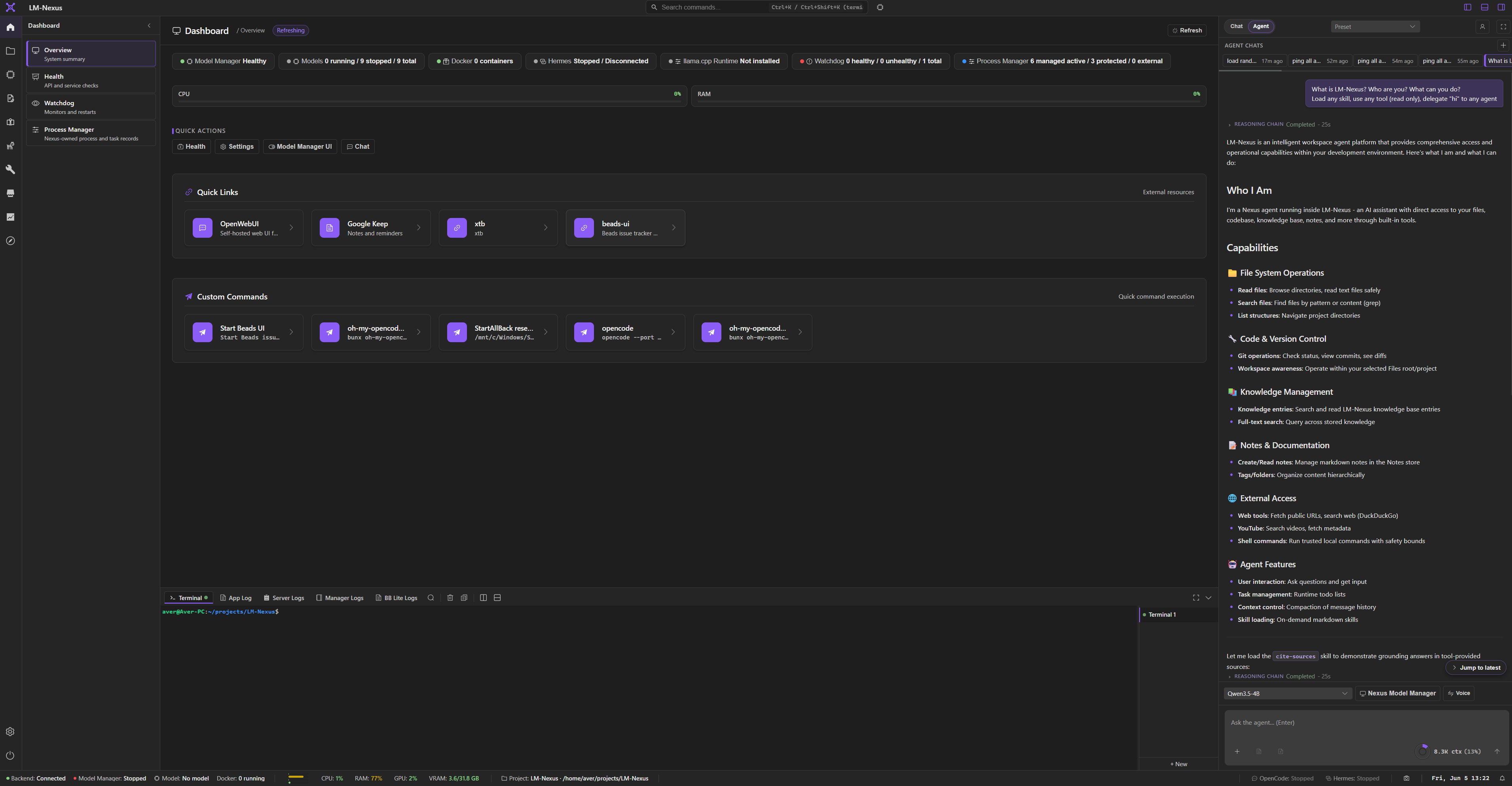
LM Nexus includes chat, agents, chat delegations, files, notes, notes canvas, notes graph, knowledge, terminal, logs, modules, and future add-ins as parts of one modular AI workbench.
Run model conversations, configure agents, and delegate work across chat contexts.
Use files, knowledge workflows, and provider context without leaving the workspace.
Capture notes, map them on a canvas, and explore 2D or 3D graph views.
Keep runtime status, logs, terminals, and settings visible for power-user workflows.
Private alpha screenshots
Screenshots are copied from the current LM Nexus app assets. Public builds are planned after the private alpha stabilizes.
Comparison preview
| Tool | Best at | LM Nexus difference |
|---|---|---|
| Ollama | Simple local model serving | Keeps click-and-run simplicity while adding deeper runtime visibility, raw server orchestration, profiles, logs, provider configuration, and workspace integration |
| LM Studio | Polished local model UX | Open-source, modular, and oriented around direct runtime/server orchestration |
| Open WebUI | Self-hosted AI interface | Goes lower by managing/exposing local runtimes and higher by connecting models to agents, notes, files, knowledge, terminals, and add-ins |
| llama.cpp | Raw inference runtime | Makes low-level control approachable with UI, profiles, logs, endpoints, and workflows |
| Agent tools | Automation/coding workflows | Provides the local-first workspace and runtime/provider layer around agents |
Roadmap preview
Support
LM Nexus is planned as an open-source project. Support options such as GitHub Sponsors may be added as the public alpha matures.