
Runtimes
Dieser Inhalt ist noch nicht in deiner Sprache verfügbar.
Runtimes
Section titled “Runtimes”LM Nexus separates two jobs that are easy to confuse:
- Model Manager starts and stops model servers for your saved profiles.
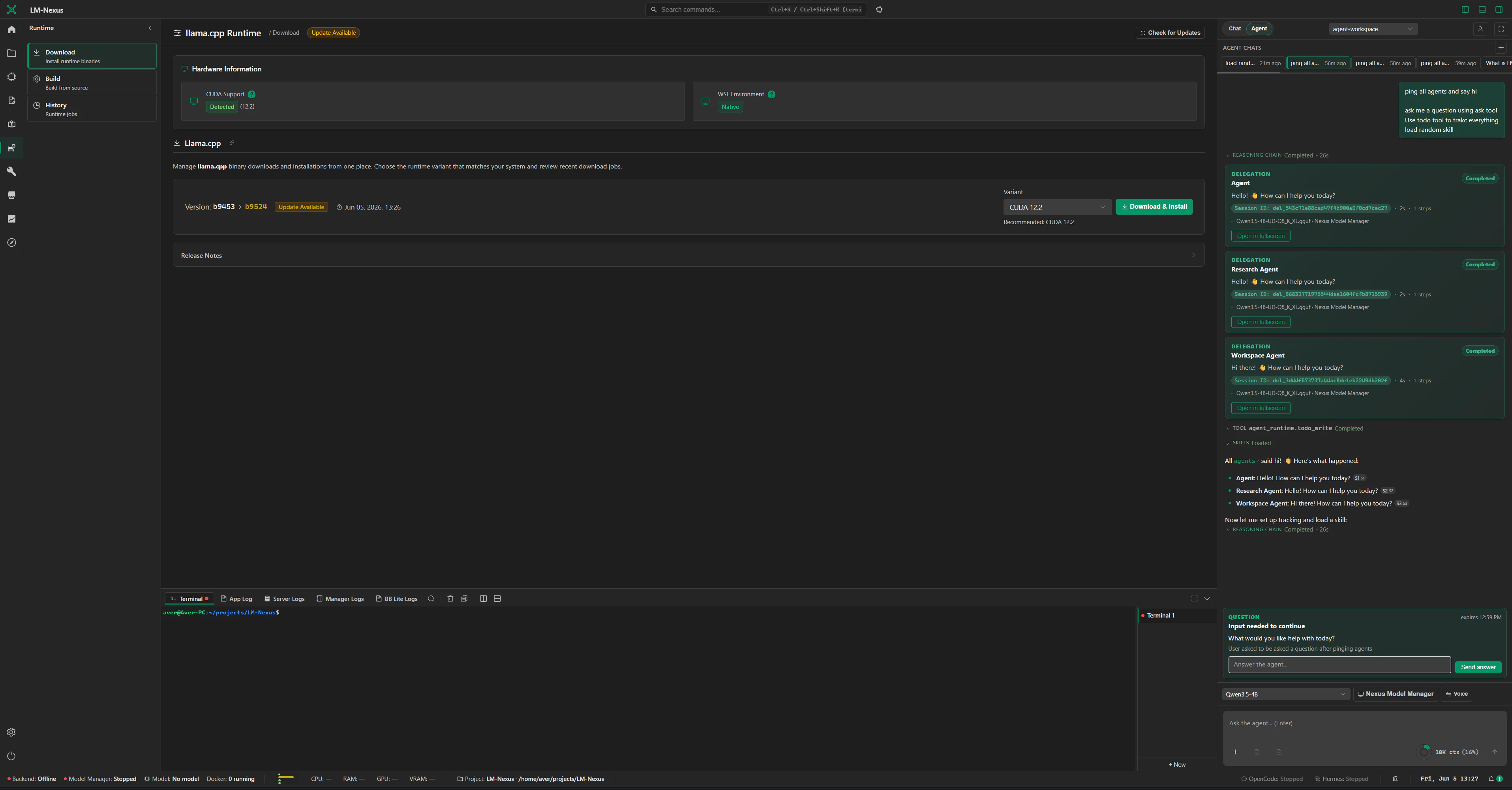
- llama.cpp Runtime installs, updates, builds, and checks the llama.cpp runtime itself.
Keeping those jobs separate means changing a model profile does not get mixed up with installing or rebuilding llama.cpp.
Managed model processes
Section titled “Managed model processes”Model Manager can start and stop the llama-server processes that LM Nexus owns.
For those processes it also tracks:
- whether the server is starting, running, or stopped;
- logs and runtime metrics;
- assigned ports;
- the profile that launched it;
- local API serving behavior.
LM Nexus should only stop processes it started. A server you run yourself remains yours to manage.
llama.cpp Runtime module
Section titled “llama.cpp Runtime module”The llama.cpp Runtime module handles maintenance of the runtime itself, including:
- checking whether a binary is available;
- using a managed or external runtime path;
- version and update checks;
- CUDA, hardware, and environment checks;
- download, extraction, and installation;
- source-build helpers;
- progress for runtime maintenance tasks.
Managed runtime installs live in per-user app-data locations. Build and source caches use normal OS cache locations rather than the LM Nexus repository.
External and self-hosted runtimes
Section titled “External and self-hosted runtimes”Not every model server has to be started by LM Nexus.
If you already run a local, self-hosted, or OpenAI-compatible service, add it as a provider and keep managing that server yourself.
See Providers.
Direct endpoint access
Section titled “Direct endpoint access”For a llama.cpp server started by LM Nexus, you can use either the integrated LM Nexus API or the server’s own endpoint directly.
See Raw server access for the difference.