
Models
Esta página aún no está disponible en tu idioma.
Models
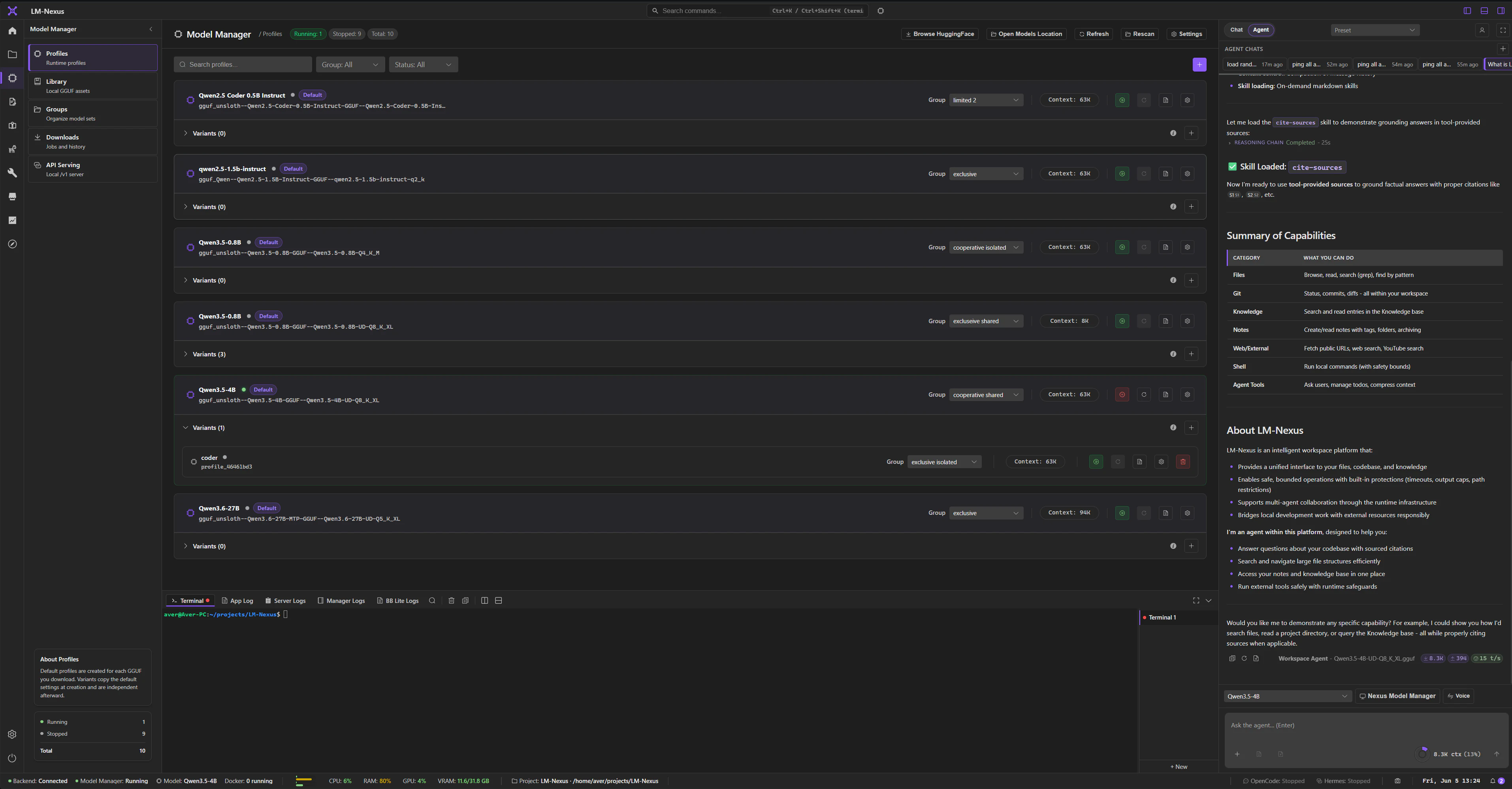
Section titled “Models”In LM Nexus, the model file on disk and the settings used to run it are separate things.
That means you can download one GGUF once and create several profiles for it—for example a large-context profile, a lower-VRAM profile, or an experimental one—without duplicating the model itself.
Model Manager
Section titled “Model Manager”Model Manager handles:
- local GGUF discovery and metadata;
- profiles and groups;
- presets and runtime settings;
- Hugging Face downloads;
- starting and stopping local model processes;
- runtime metrics and logs;
- compatibility checks and startup guidance;
- local OpenAI-compatible serving through the LM Nexus
/v1API.
Model file versus profile
Section titled “Model file versus profile”A GGUF is the model file on disk.
A profile is the saved configuration LM Nexus uses when it starts that model.
Several profiles can point to the same GGUF, so changing context size or runtime settings does not require another copy of the model.
Library and downloads
Section titled “Library and downloads”Model Manager includes:
- Profiles
- Library
- Groups
- Downloads
- API Serving
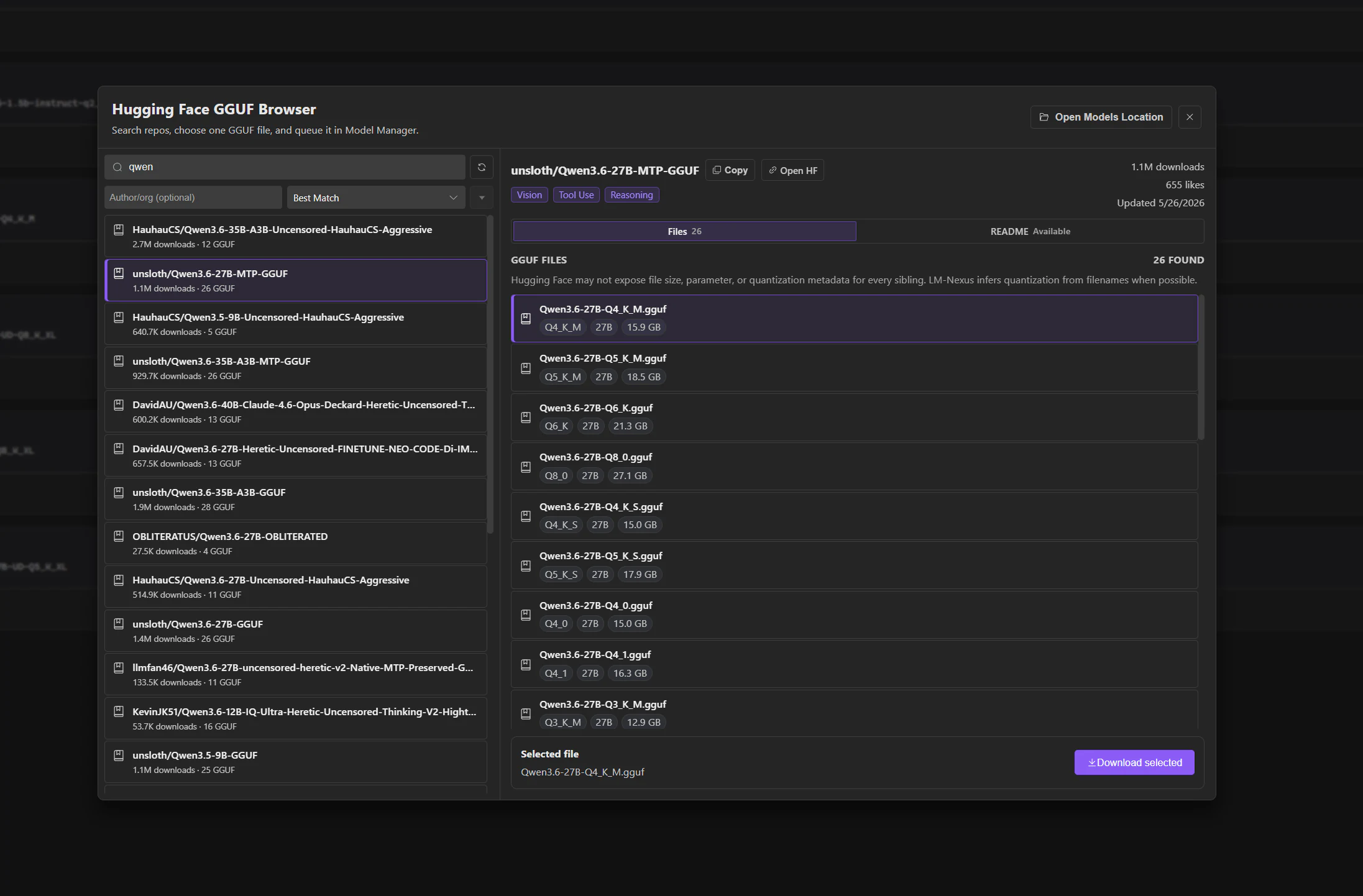
The built-in Hugging Face browser can download a selected GGUF directly into the local model library.
Who manages what
Section titled “Who manages what”Model Manager handles model files, profiles, local serving, and the model processes LM Nexus starts.
The separate llama.cpp Runtime module handles the llama.cpp installation itself: downloading or building binaries, checking versions, and inspecting the hardware/environment.
See Runtimes for more detail.
Local API
Section titled “Local API”LM Nexus can expose managed models through an OpenAI-compatible /v1 API.
If you want to bypass that Nexus API layer, you can also connect directly to the underlying llama.cpp server started for a profile.
See Raw server access.